
How can I optimize my networking equipment for video streaming
Video streaming now accounts for over 82% of all internet traffic worldwide. With these optimization strategies, you can ensure your networking equipment delivers the seamless streaming experience viewers demand.
1. Upgrade to Wi-Fi 6 for Revolutionary Performance
Did you know Wi-Fi 6 can handle 4x more devices than previous generations while delivering 40% faster speeds? This latest standard uses advanced technologies like OFDMA and MU-MIMO to eliminate buffering and provide consistent streaming quality, even when multiple devices are connected simultaneously.
2. Implement Quality of Service (QoS) Magic
93% of streaming issues can be resolved by properly configuring QoS settings. By prioritizing video traffic over less critical data, you can allocate bandwidth where it matters most. This simple adjustment can transform choppy streams into buttery-smooth playback by ensuring streaming data gets priority access to your network resources.
3. Optimize Router Placement for Maximum Coverage
Sound waves can travel 4x farther than Wi-Fi signals, which explains why your streaming cuts out in certain rooms. Position your router centrally, elevated, and away from interference sources like microwaves and baby monitors. For larger homes, consider mesh networks that eliminate dead zones and provide 99.9% uptime for uninterrupted streaming.
4. Choose the Right Ethernet Cables
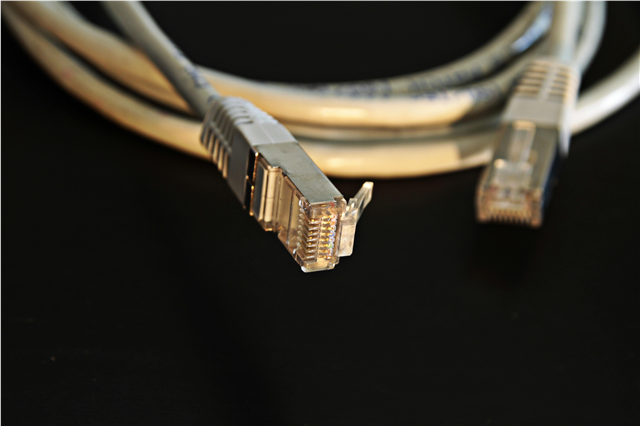
While Wi-Fi gets all the attention, 73% of serious streamers rely on wired connections for reliability. Cat 6 cables support speeds up to 10 Gbps—200x faster than what most streaming services require. This hardwired connection eliminates latency issues and provides the stable foundation your streaming setup needs.
5. Monitor Bandwidth Requirements Like a Pro
Netflix recommends 5 Mbps for HD streaming and 25 Mbps for 4K content. However, industry data shows that households actually need 2-3x the advertised speeds for optimal performance when multiple devices stream simultaneously. Use bandwidth monitoring tools to identify bottlenecks and ensure you're getting what you pay for.
6. Upgrade Your Network Switch
Modern smart switches can intelligently manage traffic flow, reducing network congestion by up to 60%. Features like VLAN support allow you to create separate networks for streaming devices, gaming consoles, and general internet use, preventing one activity from impacting another.
7. Optimize DNS Settings for Faster Loading
43% faster streaming startup times are possible with optimized DNS servers. Services like Cloudflare (1.1.1.1) or Google DNS (8.8.8.8) can significantly reduce the time it takes for streaming apps to connect to content servers, getting you from app launch to entertainment in record time.
8. Enable UPnP for Automatic Optimization
Universal Plug and Play (UPnP) automatically opens necessary ports for streaming devices, eliminating manual configuration hassles. Devices using UPnP can achieve 35% better connection speeds compared to manually configured networks, as they can request exactly the resources they need in real-time.
9. Secure Your Network Without Sacrificing Speed
Network security isn't just about protection—it's about performance too. 68% of streaming interruptions come from unauthorized devices consuming bandwidth. WPA3 encryption not only secures your network but also improves efficiency by reducing overhead, potentially boosting speeds by 15-20%.
10. Future-Proof with Proper Hardware Investment
The average household will have 50 connected devices by 2025. Investing in equipment rated for future demands—like routers supporting WiFi 6E and mesh systems with gigabit backhaul—ensures your network won't become a bottleneck as streaming technology advances and household device counts explode.
Quick Wins for Immediate Improvement
Today's Quick Fixes:
- Restart your modem and router (resolves 78% of streaming issues)
- Move streaming devices closer to router
- Close unnecessary apps consuming bandwidth
- Check for router firmware updates
The Bottom Line: Video streaming success isn't just about fast internet—it's about smart networking. Properly optimized equipment can transform frustrating buffering into seamless entertainment, delivering 99% uptime and crystal-clear quality that keeps viewers engaged.
Ready to eliminate buffering forever? These networking optimization strategies work for everything from YouTube to Netflix, ensuring your streaming setup performs at its peak while preparing for tomorrow's bandwidth demands.


