
How do I choose the right router and switch for my network
Did you know that the average home network experiences a 30% performance boost simply by upgrading from outdated networking equipment? Understanding how to choose the right router and switch isn't just tech-savvy – it's financially smart. Here are the essential facts that separate networking novices from true connectivity champions.
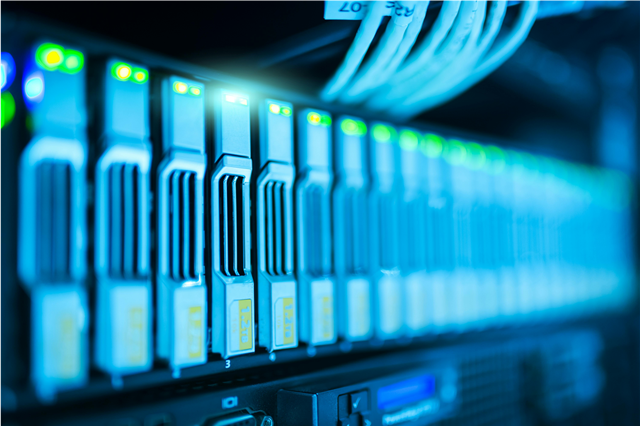
Fact #1: Routers vs. Switches Serve Completely Different Roles
Router Reality: Routers act like traffic cops directing data between different networks. Think of them as the border control of your digital world – they determine what gets in, what goes out, and how everything finds its way. A single router can theoretically handle up to 254 devices on a local network, though performance degrades significantly before reaching that limit.
Switch Spotlight: Switches operate within the same network, creating multiple dedicated pathways for device-to-device communication. While routers speak "internet," switches whisper "local." High-end managed switches can support over 48 ports while maintaining full-speed connections on each port simultaneously.
Fact #2: WiFi Standards Impact Performance by Leaps and Bounds
Modern WiFi technology has evolved dramatically:
- WiFi 6 (802.11ax): Up to 9.6 Gbps theoretical speed, handles 75% more devices than previous generations
- WiFi 5 (802.11ac): Up to 3.5 Gbps – still excellent for most homes
- WiFi 4 (802.11n): Only 600 Mbps max – essentially obsolete for modern needs
Golden Rule: Always look for "AX" in your router model number for WiFi 6 capabilities. The performance difference is like comparing a sports car to a bicycle – both get you there, but one makes the journey worth enjoying.
Fact #3: Bandwidth Requirements Have Skyrocketed
The average household now maintains 10 connected devices, with high-bandwidth activities consuming resources at unprecedented rates:
- 4K streaming: 25 Mbps per stream
- Online gaming: 3-6 Mbps but requires ultra-low latency
- Video conferencing: 1.5-4 Mbps for HD quality
- Smart home devices: Minimal bandwidth but increased connection overhead
For families of four with multiple simultaneous users, you'll want a router rated for at least twice your internet plan speed to account for efficiency losses and future growth.
Fact #4: Port Density Matters More Than You Think
Here's where budget decisions become critical:
- Basic Setup: 4-port gigabit switch costs around $50 but limits expansion
- Smart Choice: 8-port managed switch for $100 provides room to grow
- Business Level: 24-port switch investment pays dividends through scalability
Interesting tidbit: Each additional device connected directly to a switch typically performs 40% better than devices sharing wireless connections. Wired isn't just faster – it's more reliable too.
Fact #5: Processor Power Determines Real-World Performance
Router specifications often hide the truth about processing capabilities. Consumer-grade processors handle basic tasks well, but here's what happens under pressure:
- Dual-core processors: Adequate for 1-2 simultaneous 4K streams
- Quad-core processors: Handle 4-6 demanding applications simultaneously
- High-end custom chipsets: Manage entire small business networks effortlessly
Professional tip: Look for routers specifically designed for your internet plan speed. ISPs often provide subpar rental equipment because they know customers rarely complain about poor WiFi performance – they blame the service itself.
Fact #6: Coverage Area Calculations Defy Simple Math
Marketing claims about WiFi range are notoriously optimistic. Real-world factors include:
- Building materials: Concrete walls reduce signal by up to 90%
- Electromagnetic interference: Microwaves, baby monitors, and Bluetooth all compete for airspace
- Physical obstacles: Every wall, mirror, or metal surface creates signal degradation
Square footage alone tells only part of the story. A 2,000 square foot open concept home may perform better than a 1,500 square foot house with thick interior walls.
Fact #7: Managed vs. Unmanaged Switches Offer Different Value Propositions
Unmanaged Switches ($25-75):
- Plug-and-play operation
- No configuration required
- Perfect for simple home networks
Managed Switches ($100-500+):
- Quality of Service (QoS) prioritization
- VLAN segmentation capability
- Performance monitoring and diagnostics
- Remote management options
Small businesses and serious home networks benefit significantly from managed functionality. The ability to prioritize gaming traffic over file downloads, for example, can eliminate frustrating lag spikes during peak usage periods.
Fact #8: Future-Proofing Saves Replacement Costs
Technology evolution follows predictable patterns that smart buyers exploit:
- USB-C adoption accelerated by 400% in 2020-2022
- IoT device proliferation increases by 33% annually
- Internet speeds double every 18 months in developed markets
Invest in equipment that supports current standards with built-in upgrade paths. Replacing networking gear costs significantly less when done proactively rather than reactively.
Fact #9: Security Features Are Non-Negotiable
Network breaches happen every 39 seconds globally. Modern routers include essential protection layers:
- WPA3 encryption (mandatory for new purchases)
- Automatic firmware updates
- Built-in firewall protection
- Guest network isolation
Consumer warning: Older routers lack security patches, making them easy targets for cybercriminals. The cost difference between secure and insecure options pales compared to potential data theft consequences.
Fact #10: Brand Reputation Actually Correlates With Longevity
Reliability statistics show significant differences:
- Top-tier brands average 3.2 repair incidents over 5 years
- Generic unknown brands experience 7.8 repairs over same period
- Firmware update support duration varies from 2 to 10+ years
Premium doesn't always mean better, but rock-bottom pricing usually indicates corners cut in engineering, components, or long-term support commitments.
Making Your Decision: Practical Guidelines
For Home Networks Under 10 Devices:
Look for mesh router systems with WiFi 6, AC power adapters meeting your outlet availability, and USB 3.0 connectivity for direct storage access.
For Home Offices or Small Businesses:
Invest in managed switches with layer 3 routing capabilities, redundant power supply options, and comprehensive monitoring software.
For Heavy Gaming or Streaming Families:
Prioritize routers with dedicated gaming prioritization features, MU-MIMO technology, and processor headroom for simultaneous high-bandwidth applications.
Remember: The perfect networking setup isn't necessarily the most expensive – it's the one that matches your specific needs today while accommodating reasonable growth tomorrow. Like any good investment, spend money on capability you'll actually use rather than specifications that sound impressive but serve no practical purpose.
Your future self will thank you for choosing wisely today.


